
Workout log
Log the set. See the progress.
Thrainit is a workout log for iPhone and iPad. Your last workout sits beside every set, so you always know the number to beat.
Coming soon to the App Store
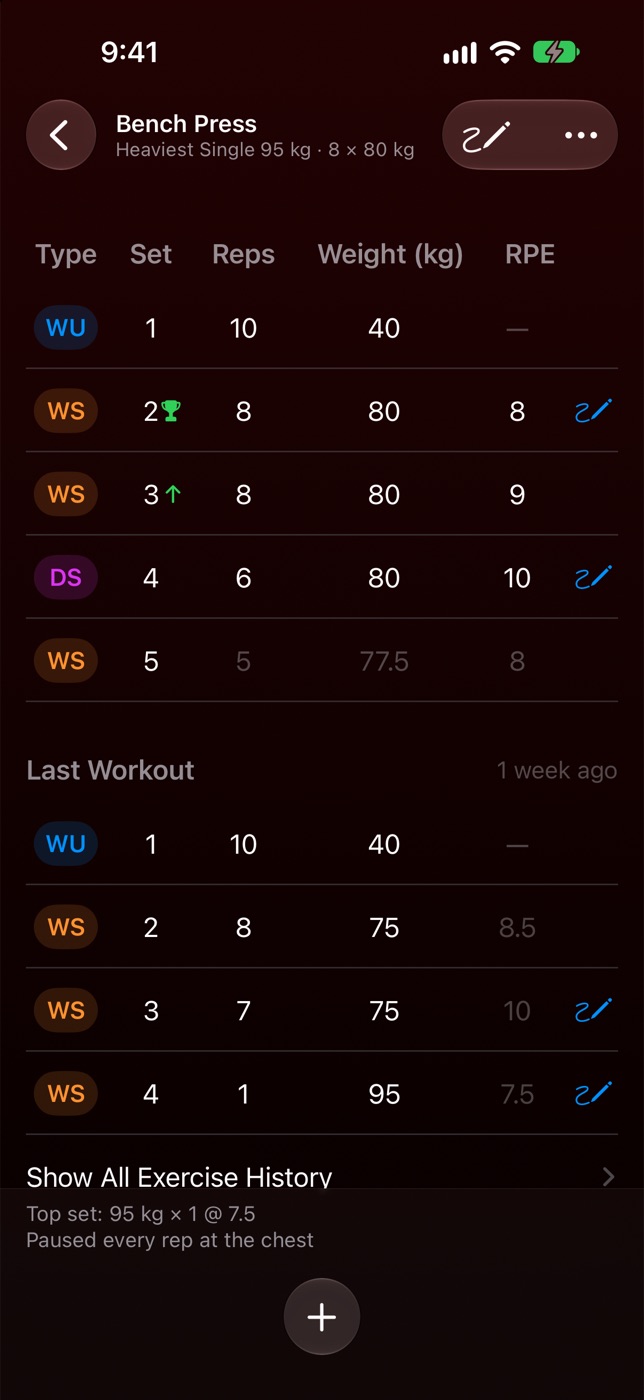
A set counts as soon as it has reps. There’s no checkmark to tap.
- Green arrow
- You beat the matching set from your last workout.
- Trophy
- A record for that number of reps.
- RPE
- Optional: how hard a set felt, from 6 to 10.
- Grey numbers
- Targets from your routine, and a weight suggested from your estimated 1RM.
01 — Logging
The day,
then the month.
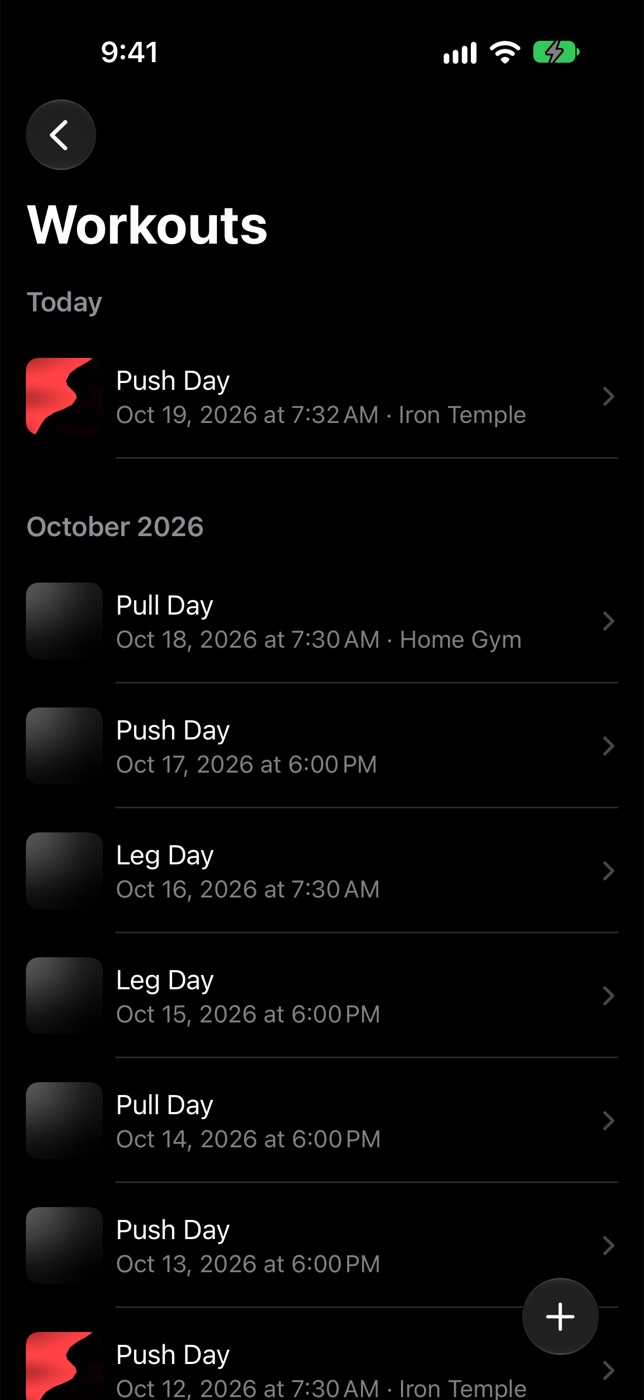
Today’s workout sits at the top. Earlier ones fall into months, so you can always find your place.
A cover, a gym,
the work.
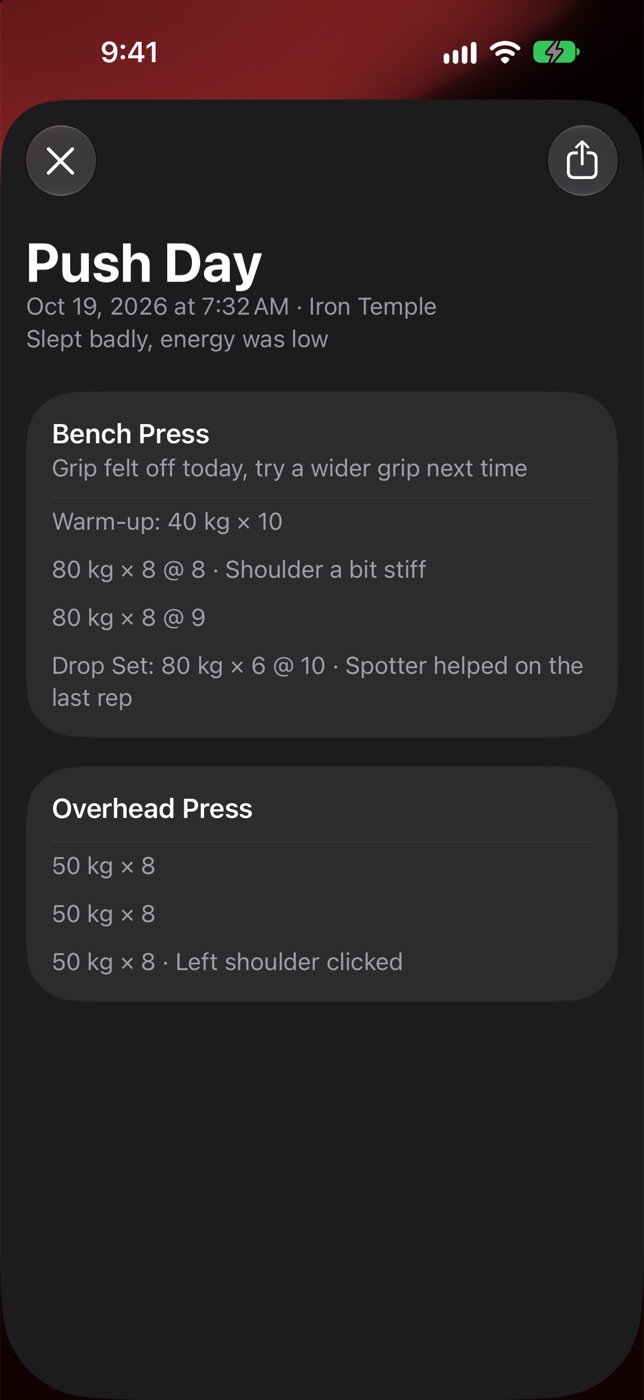
Each workout keeps its cover, the gym you trained at and its exercises. Log warm-up, working and drop sets, set by set.
Notes,
then a summary.
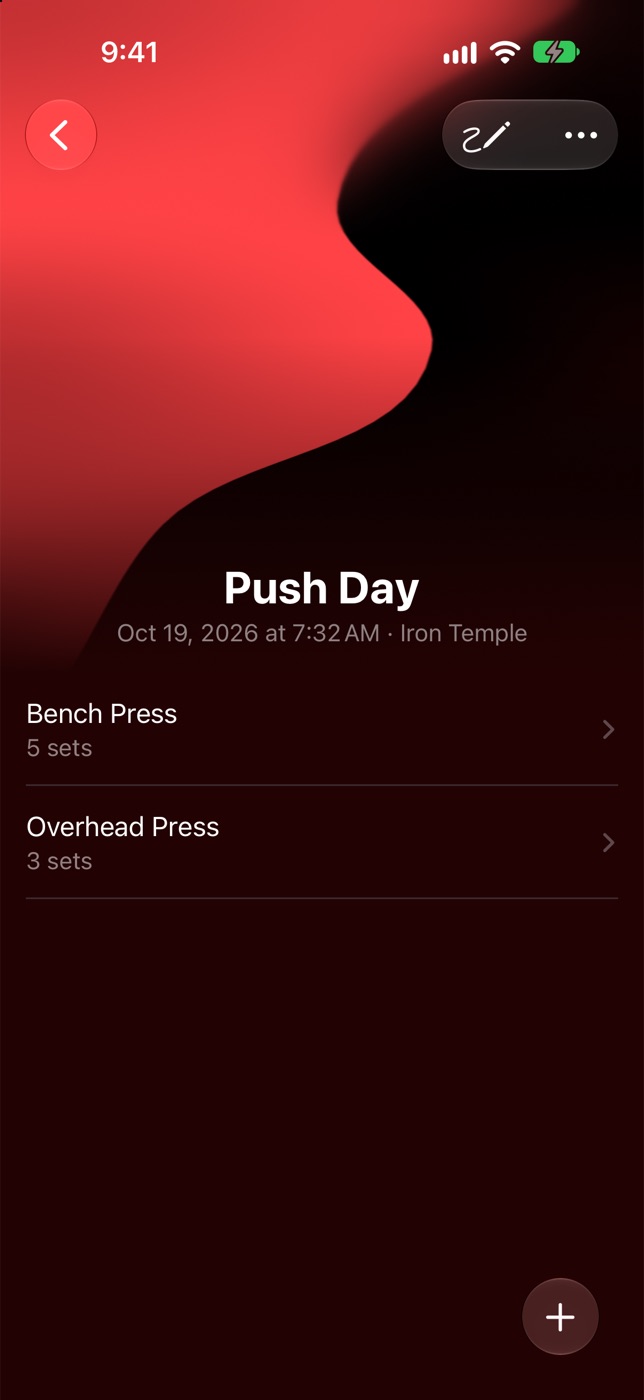
Add a note to a workout, an exercise or a single set. The summary lists every set with its notes, ready to share as text.
02 — Routines
Start from a plan.
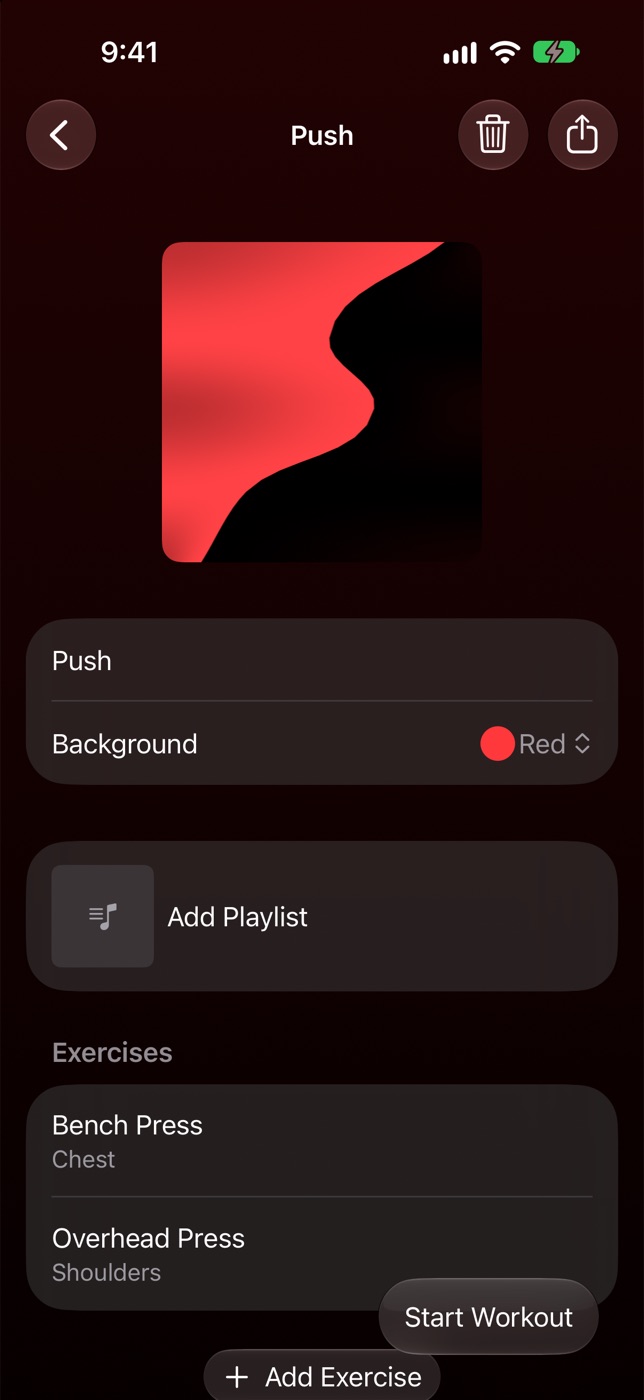
Plan target reps and RPE for each set, then start a workout from the routine, or save a workout as one.
- Suggested weights from your estimated 1RM and the RPE you plan, rounded to your gym’s smallest plate.
- A cover and a colour for each routine.
- Share a routine as a file. Whoever opens it in Thrainit can add it.
- Pick an Apple Music playlist and play it from the workout.
03 — Progress
A chart for
every exercise.
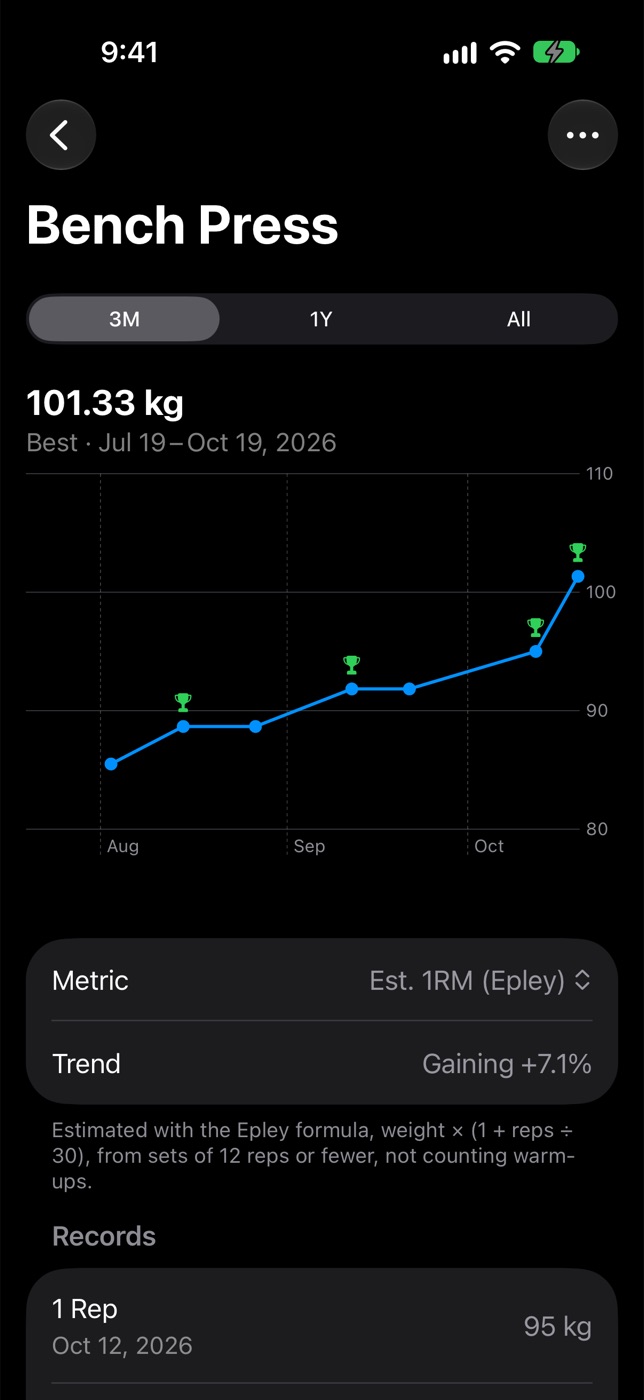
Estimated 1RM (Epley), top set or volume, over 3 months, a year or all time, with records marked on the chart.
- A trend tells you if a lift is gaining, on a plateau or down.
- Records keep your best set at each rep count from 1 to 10.
- Bodyweight lifts follow your most reps; assisted lifts, the least assistance.
04 — Insights
The week,
the lift,
the muscle.
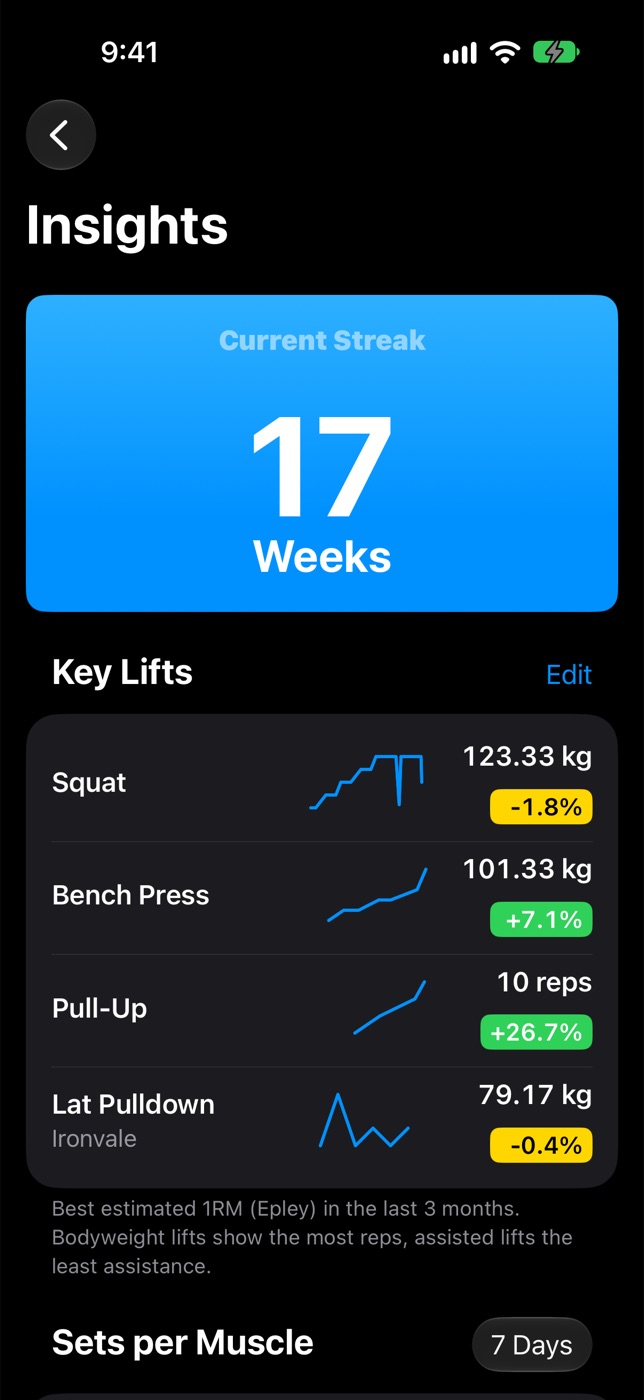
Your weekly streak, the lifts you care about, and how many sets each muscle got.
- Key Lifts: a small chart and a trend for each lift you choose.
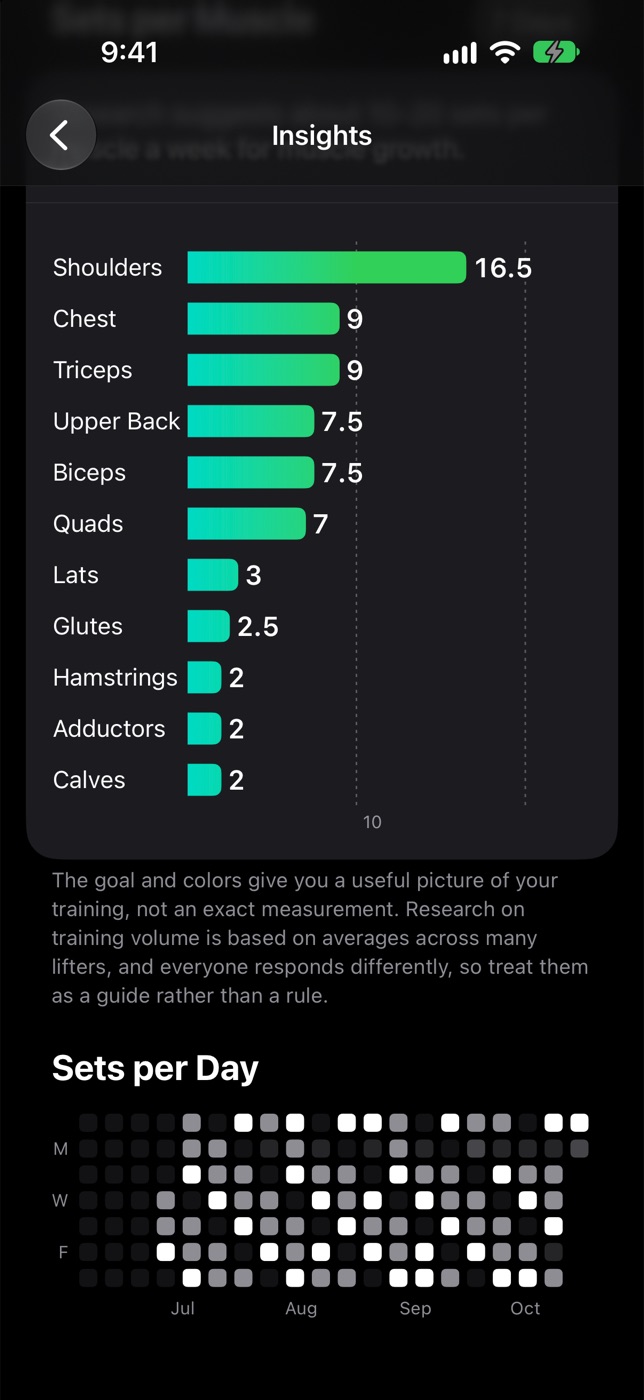
- Sets per muscle over the last 7 or 30 days, against a guideline of 10 to 20 sets a week. Tap a muscle to see the exercises behind the number.
- Sets per day: a 20-week grid of your training.
05 — Exercises
Your exercises,
your machines.
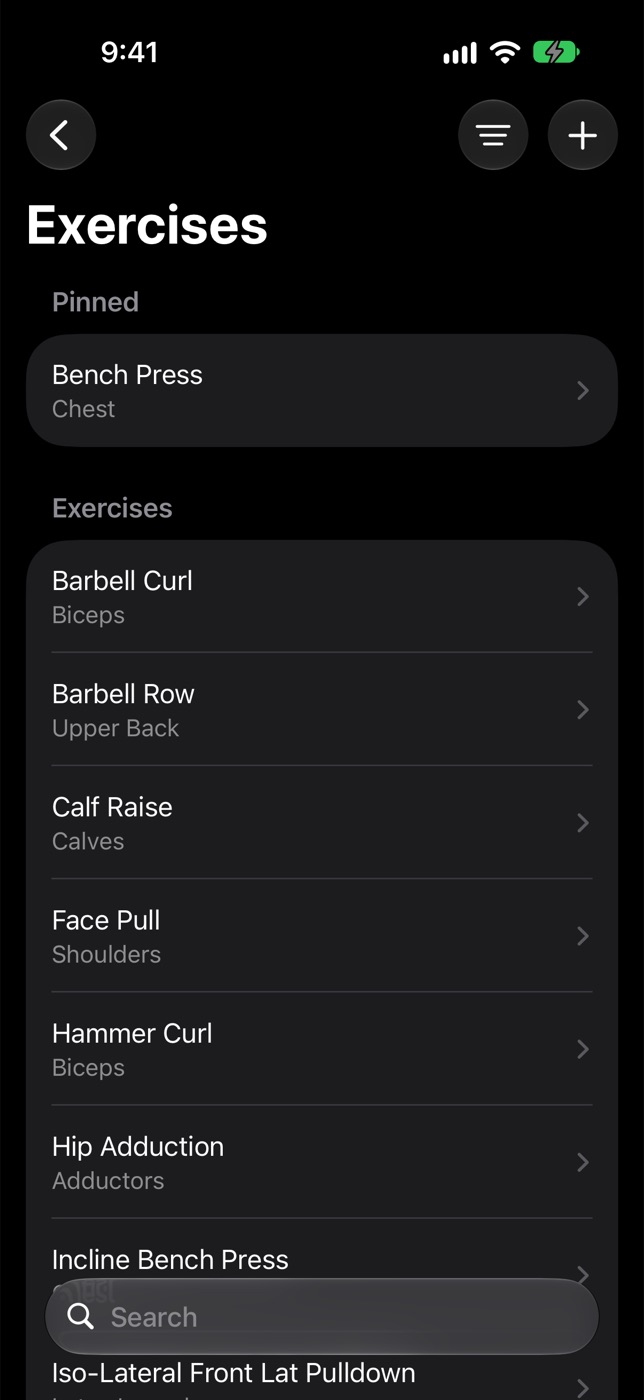
151 exercises to start with, each tagged with its muscles. Add your own, and pin the ones you use most.
- Give an exercise a brand to tell two machines with the same name apart. Each keeps its own history, records and chart.
- Every logged set of an exercise, workout by workout, in its history.
- Filter by muscle, and archive what you no longer do.
- Exercises to start with
- 151
- Muscles to tag, filter and count
- 18
- Days to recover a deleted workout
- 30
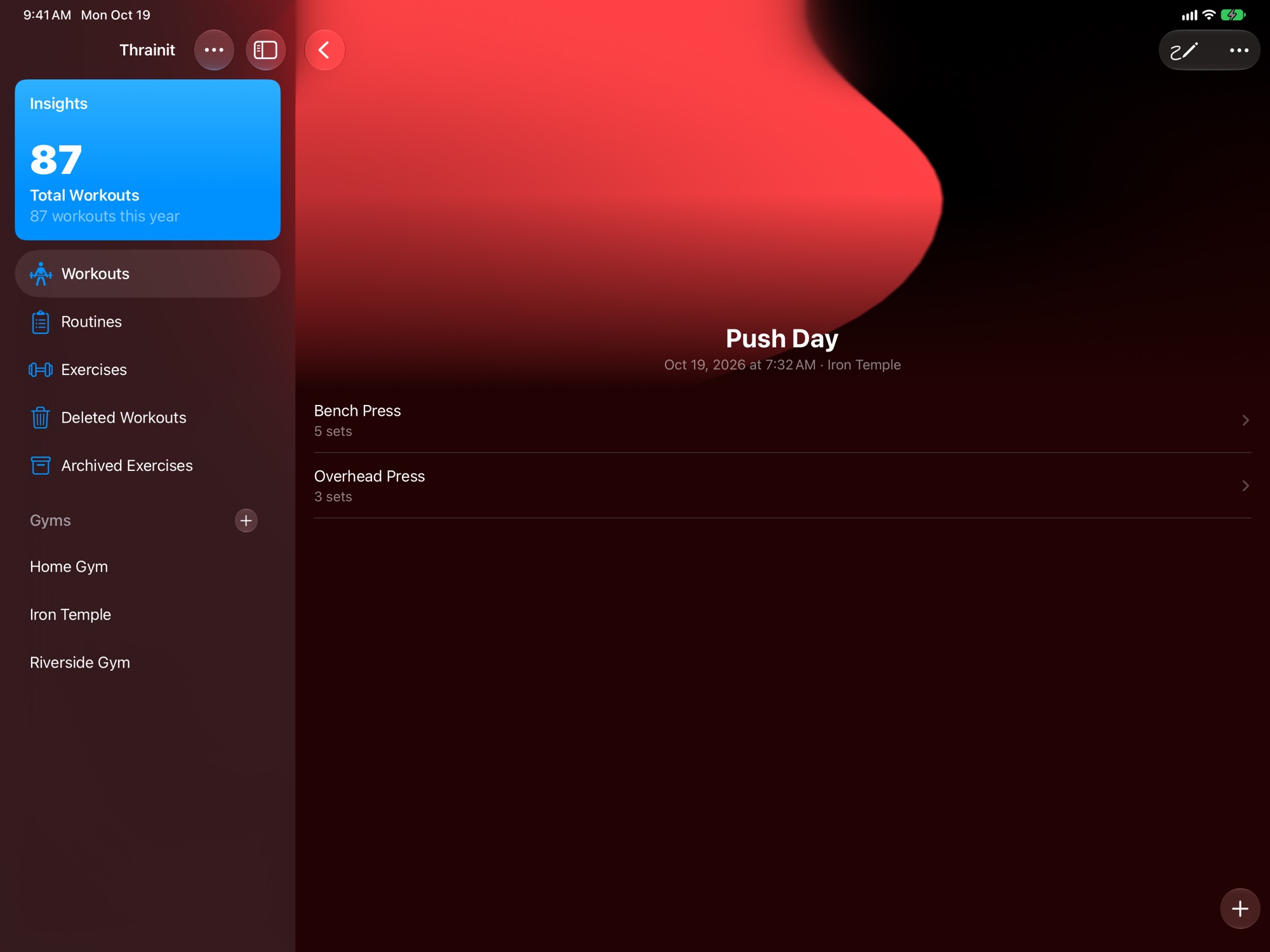
The same log,
on iPad.
The sidebar keeps Insights, routines, exercises and gyms beside the workout.
06 — Gyms
The gym stays
on the workout.
Pick your gym from Apple Maps and see each gym’s workouts.
- Location is used only while you pick a gym, to show gyms in your town.
- Set a gym’s smallest plate, and suggested weights round to it.
- A new workout takes the gym you trained at last.
07 — Your data
On your devices,
and in your iCloud.
- Syncs between your iPhone and iPad with iCloud.
- Export every workout to a CSV file, and import it again.
- Deleted workouts can be recovered for 30 days.
- Kilograms or pounds, starting in pounds where the region uses US measurements.
Your training log stays yours.
- No sign-up. Sync uses your own iCloud.
- No ads, no analytics and no tracking.
- Your workouts stay on your devices and in your iCloud.
Training, written down properly.
Coming soon to the App Store